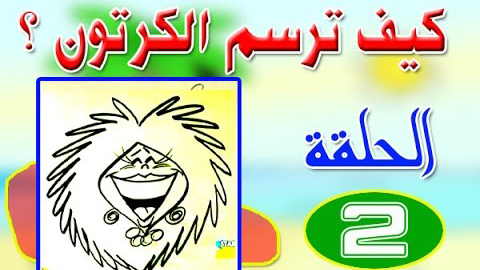
كيف ترسم الكرتون .. للرسام العالمي بروس بليتز

موقع اسكتشات
ملخص حلقات البرنامج التليفزيوني كيف ترسم الكارتون ؟ للرسام العالمي بروس بليتز ، وهى نسخة مدبلجة باللغة العربية ، عدد الحلقات 22 حلقة بنحو 11 ساعة
تم تلخيصها واختصارها إلى ساعتين.

وتشرح الحلقات كيفية رسم الكاريكاتير والشخصيات الكرتونية والدعامات المساعدة ، وهى مميزة في تعليم الرسم للمبتدئين.
الحلقة الأولى
كيف ترسم الكرتون؟
خطوة .. خطوة
https://www.youtube.com/watch?v=eJMBZdWqLSw
01
الحلقة الثانية
كيف ترسم الكرتون؟
الشخصية وما إليها
https://www.youtube.com/watch?v=TwE8cDf1qoQ
02
الحلقة الثالثة
كيف ترسم الكرتون؟
تسلية مع الرسوم الهزلية
https://www.youtube.com/watch?v=PTPtG6n7TgU
03
الحلقة الرابعة
كيف ترسم الكرتون؟
وجهاً لوجه
https://www.youtube.com/watch?v=0UuyT2i3WWg
04
الحلقة الخامسة
كيف ترسم الكرتون؟
من الألف إلى الحمار الوحشي
https://www.youtube.com/watch?v=Bdk3gvYqp8s
05
الحلقة السادسة
كيف ترسم الكرتون؟
النموذج الصحيح
https://www.youtube.com/watch?v=mrbslc2yuxc
06
الحلقة السابعة
كيف ترسم الكرتون؟
رسم الحركة
https://www.youtube.com/watch?v=IqHd2fwAm1E
07
الحلقة الثامنة
كيف ترسم الكرتون؟
رسم الدعامات
08
الحلقة التاسعة
كيف ترسم الكرتون؟
الخطوط الرئيسية في رسم الشخيات
09
الحلقة العاشرة
كيف ترسم الكرتون؟
إعلانات بالرسوم الكرتونية
10
الحلقة 11
كيف ترسم الكرتون؟
الرسم في الطبيعة
11
الحلقة 12
كيف ترسم الكرتون؟
الثياب تعبر عن الشخص
12
الحلقة 13
كيف ترسم الكرتون؟
أساسيات في الرسم الكرتوني
13
الحلقة 14
كيف ترسم الكرتون؟
تعبيرات الوجه
14
الحلقة 15
كيف ترسم الكرتون؟
صور جامدة متحركة
15
الحلقة 16
كيف ترسم الكرتون؟
كيف ترسم شخصيات هزلية
16
الحلقة 17
كيف ترسم الكرتون؟
كيف ترسم شخصيات هزلية
17
الحلقة 18
كيف ترسم الكرتون؟
القصص الهزلية
18
الحلقة 19
كيف ترسم الكرتون؟
القصص الهزلية
19
الحلقة 20
كيف ترسم الكرتون؟
إعلانات كرتونية
20
الحلقة 21
كيف ترسم الكرتون؟
القواعد الأساسية للرسم
21
الحلقة 22
كيف ترسم الكرتون؟
رسم الوجوه الكرتونية
22
وللمزيد عن الرسم والكاريكاتير والرسوم المتحركة يمكن متابعة هذه الروابط
banar_group1
banar_group2
banar_group

banar_group
فن الكاريكاتير

Comments

Popular posts from this blog

Sony Vegas pro tutorials | 8 : 12 | chroma key, blur, color effects

As of the eighth lesson of the Sony Vegas pro course, the series of effects and filters within the program begins, including blur effects, brightness and contrast, chroma key effect and color correction effects. Sony Vegas pro tutorials chroma key, blur, color effects شاهد المقالة باللغة العربية: مفتاح الكروما والزغللة وتصحيح الألوان Lesson 8 | blur effects In this lesson, we explain the effects that give blur effect to the video or image, where Vegas pro has different shapes and methods to add this effect and control its options, blur – defocus – noise – film grain – linear blur – medium – pixelate – radial blur. Blur has multiple shapes and is available in many filters, which are similar in some settings and differ in some other filters. It is useful for background work, and can be used as a glow effect, especially with text, which gives the effect of the surrounding fringes around the edges of the letters. The options provide the possibility of ad...

Types of shots and shooting angles

The shot is the image that appears on the screen when the camera is turned on, and Types of shots vary depending on the size of the shot and the distance between the camera and the scene, and also vary according to the angle of shooting, as well as the direction and direction of the movement of the camera. Each shot has a name and a familiar description between the director and the photography team, which facilitates the language of communication and guidance. There are rules that are agreed upon by art production experts, but can not be considered Muslim but are essentially subject to the purpose for which they are designed Types of shots First: LONG SHOTS It has 3 forms: Extreme Long Shot, Long Shot, and Medium Long Shot Extreme Long Shot is one of the types of shots that give an impression of the location, geography, time of photography and the environment. The viewer understands the surroundings and prepares to see the whole event. This snapshot is often u...

Sony Vegas pro| 27 : 29 | tracks and track motion

We start from these lessons from the Sony Vegas pro editing course, explaining the tracks, showing their tools and types, explaining track motion, how to add shadow effect, and the glow effect. tracks and track motion شاهد المقالة باللغة العربية Lesson 27 |Tracks Tracks are divided into two types: Video Track: Video clips, images, text and artwork are placed. Audio Track: It is special for audio tracks. Each track has its own settings and controls, which appear in the track header to the left of the track. Add Track : To add a new video track, right-click in a blank location and choose insert video track. Or by clicking the mouse in the head of the track and we also choose to insert video track. To add a voice track we follow the same method on the audio track. Video and audio gestures can also be added by opening the Insert menu and selecting an audio track or video track. You can also add ctrl + q or ctrl + shift + q. Track Video: In Video T...